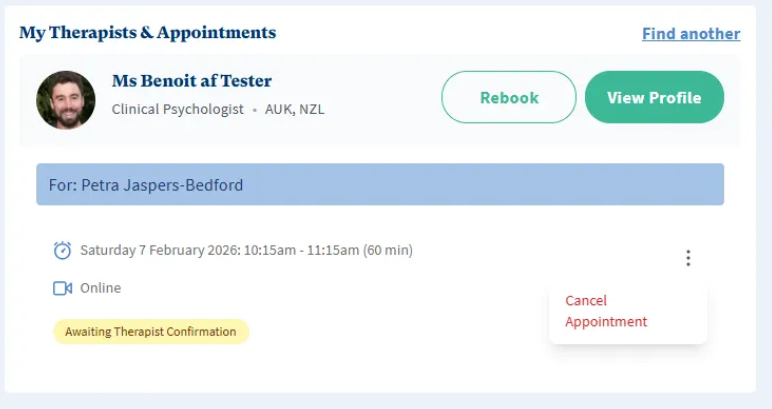
If you have retained permission to manage the family member’s bookings, when logged in, head to Appointments and scroll to My Therapists & Appointments.
Find the family booking.
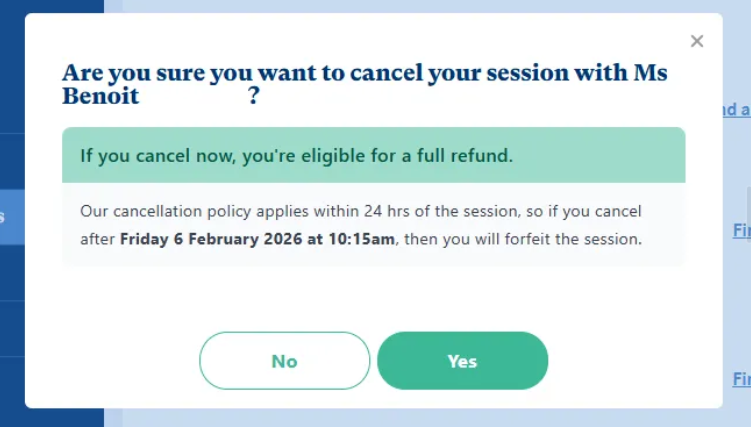
Click the 3 dots to cancel the appointment.
Ensure you cancel appointments 24 hours before the session is set to take place to avoid cancelllation fees/using EAP therapy allocation.
Was this article helpful?
That’s Great!
Thank you for your feedback
Sorry! We couldn't be helpful
Thank you for your feedback
Feedback sent
We appreciate your effort and will try to fix the article