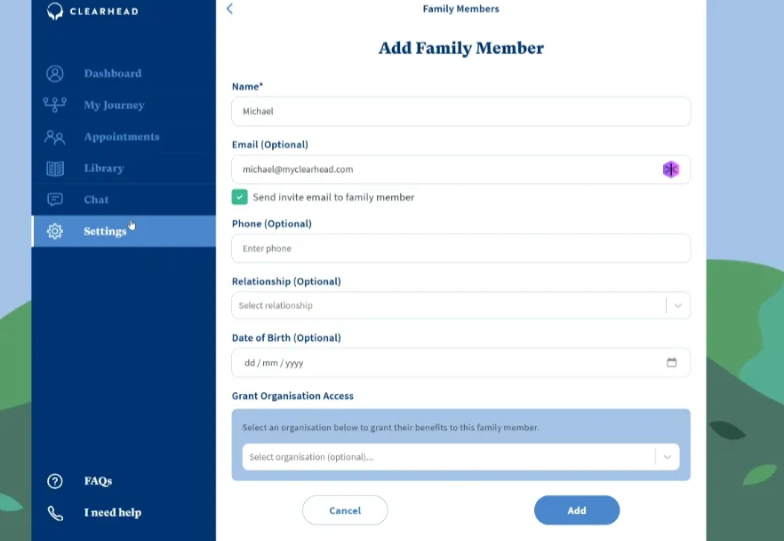
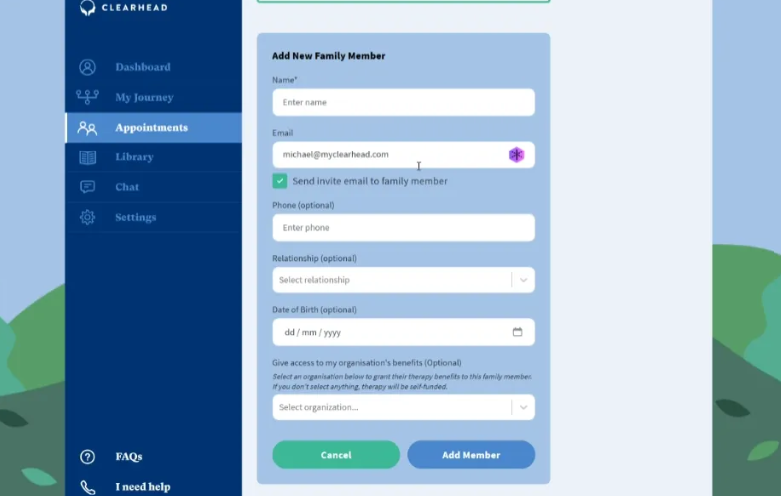
If your family members want to manage their own bookings, enter their email and tick 'Send invite email to family member' when you add them as a family member (either when booking an appointment, or in Settings, Family Members). Make sure to link them to your EAP offering (if applicable) by selecting your organisation under 'Grant Organisation Access'.
They will receive an email saying you’ve invited them and be prompted to accept the invite and log in or create an account. If there are current bookings you have made on their behalf, these will be shown in their account also.
For more information see FAQ: How can family access and manage their own bookings and/or revoke my access to them?
Was this article helpful?
That’s Great!
Thank you for your feedback
Sorry! We couldn't be helpful
Thank you for your feedback
Feedback sent
We appreciate your effort and will try to fix the article