Head to Settings > My Subscription > My Memberships to see your entitlements.
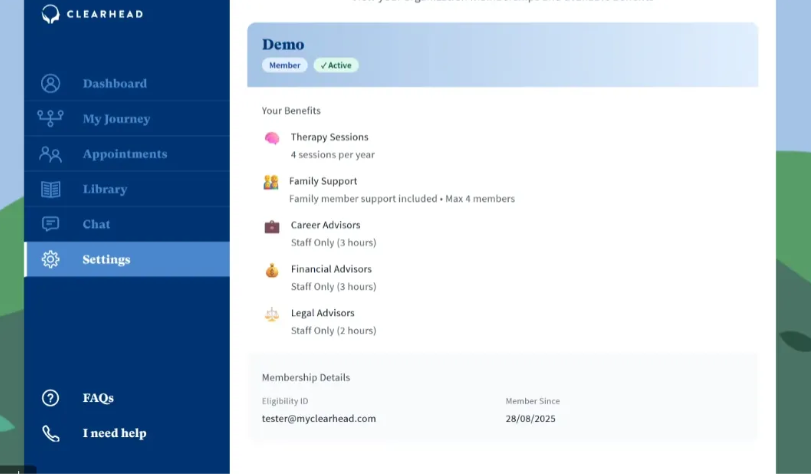
For example the following account has EAP funding under company ‘Demo’ of 4 sessions per year. You can also see if you are entitled to Family Support, Career Advisers, Financial Advisors and Legal Advisors through EAP funding.
If you have added Unimed insurance (who provide funded therapy sessions) you will also see this under ‘My Memberships’.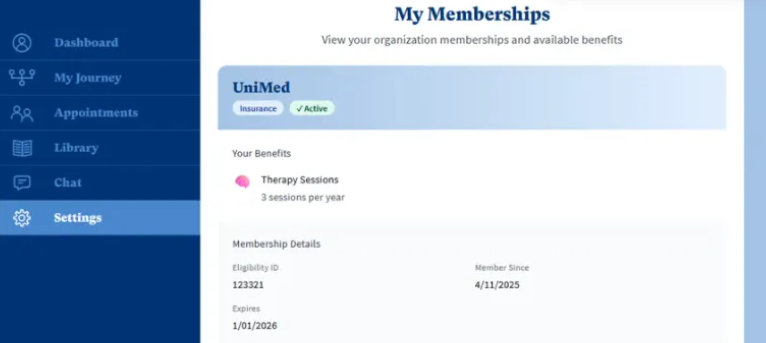
If you do not have EAP funding you will see the following:
If you believe this is incorrect, please click Upgrade Now and we will be in touch to confirm your entitlements.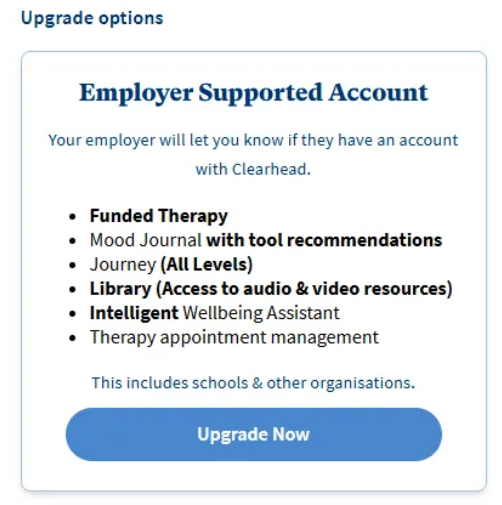
Was this article helpful?
That’s Great!
Thank you for your feedback
Sorry! We couldn't be helpful
Thank you for your feedback
Feedback sent
We appreciate your effort and will try to fix the article