If you’re receiving an error message when trying to validate your ID or email, there are a few common reasons this can happen. 
First, try these troubleshooting tips:
- Double-check that your email or ID has been entered correctly
- Make sure there are no extra spaces before or after your email/ID (remove)
- Confirm that you are using the same email address or ID your organisation has registered with Clearhead (If you’re unsure, please check with your HR team.)
- Have you possibly created an account before? If so, you may need to sign in instead of creating a new account (see below)
New starter or recently changed details?
Your organisation may not have updated the eligibility list we have on file yet.
This can happen if:
- You are a new employee
- Your work email has changed
- Your employee ID has changed
In this case, please contact your HR team and ask them to update your details with Clearhead.
Have you already created a Clearhead account in the past?
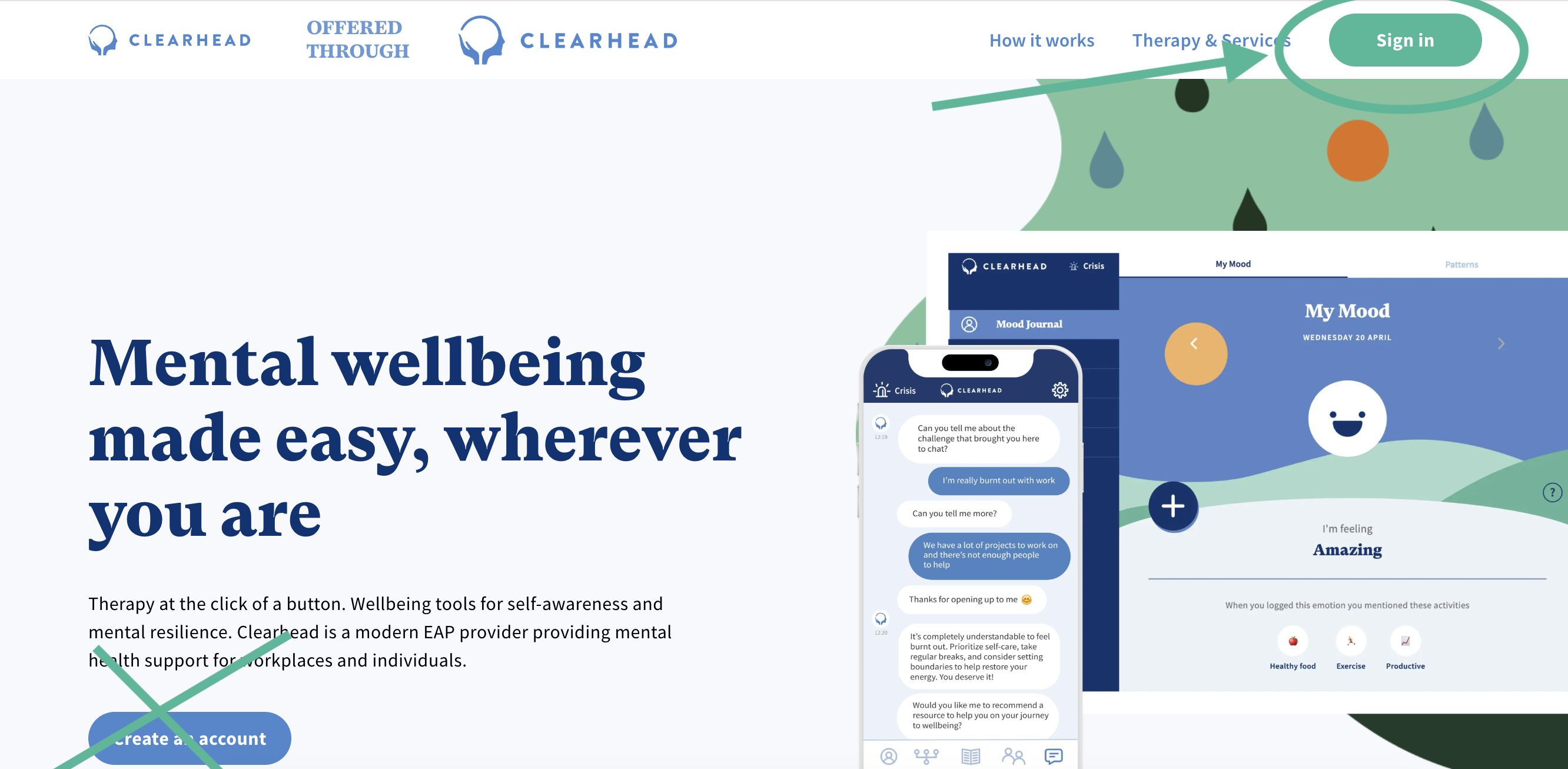
- Return to your company’s Clearhead landing page
- Select “Sign In” in the top right corner
- Use your login details to sign in.
- If you don't remember your password, you'll be able to reset your password on the next screen.
Still not working? Reach out to support@myclearhead.com and we can help!
Was this article helpful?
That’s Great!
Thank you for your feedback
Sorry! We couldn't be helpful
Thank you for your feedback
Feedback sent
We appreciate your effort and will try to fix the article