If you wish to change your email head to:
Settings > My Details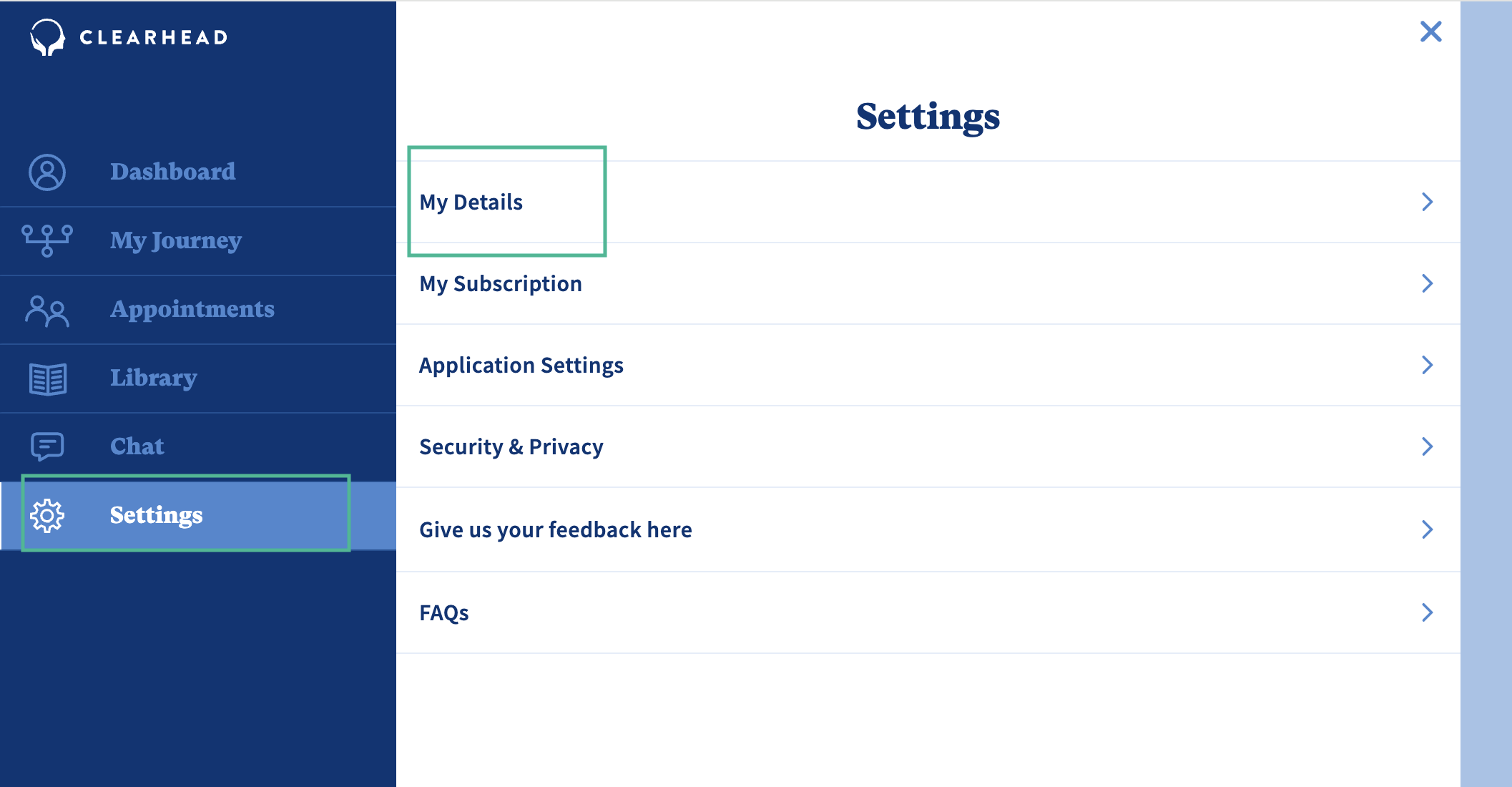
Click 'Update Email'
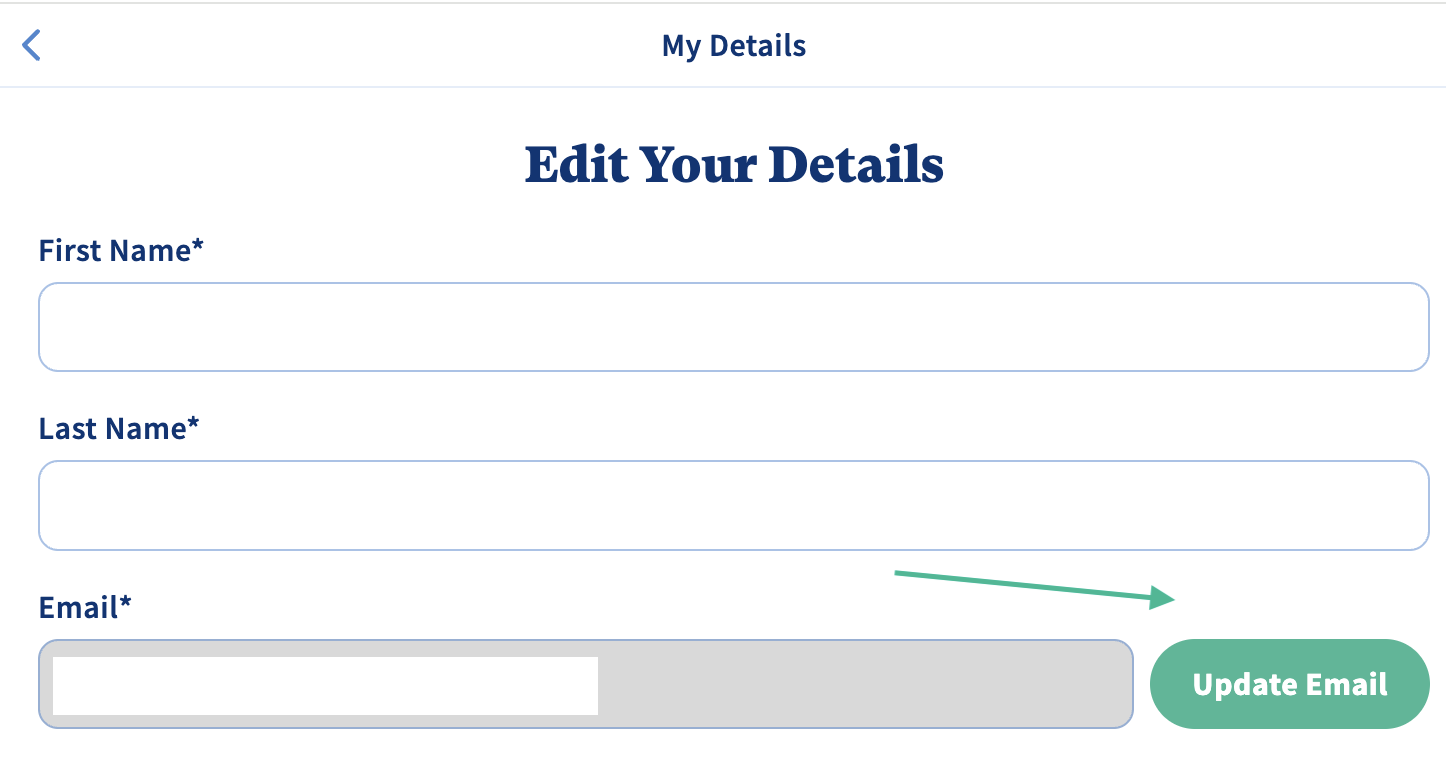
Enter the current email, new email and click 'Send Verification.'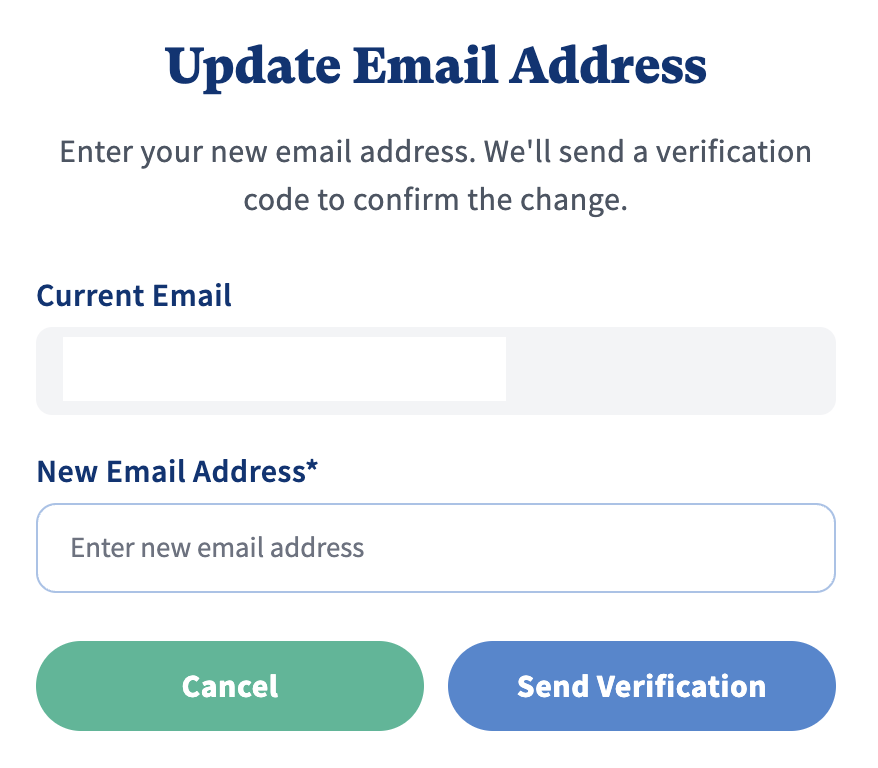
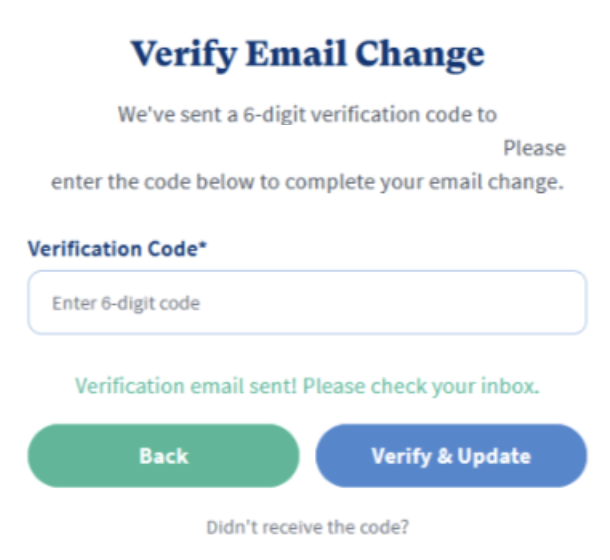
You will now receive a 6-digit code to your email. Make sure to check your spam if you didn't receive this.
Enter the code and click 'Verify & Update'. This will update your log in email and communications will now be received to your new email.
Was this article helpful?
That’s Great!
Thank you for your feedback
Sorry! We couldn't be helpful
Thank you for your feedback
Feedback sent
We appreciate your effort and will try to fix the article