If you wish to generate an invoice for a self-funded therapy session paid for at checkout, go to My Appointments.
Find the appointment you wish to download the invoice for and click View receipt. This will open the invoice in a new window.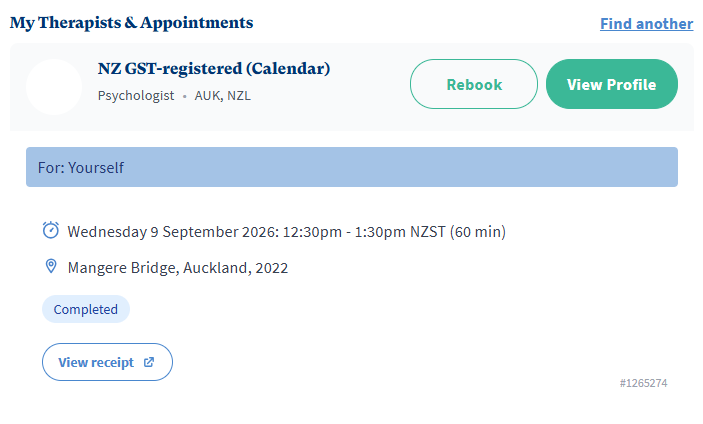
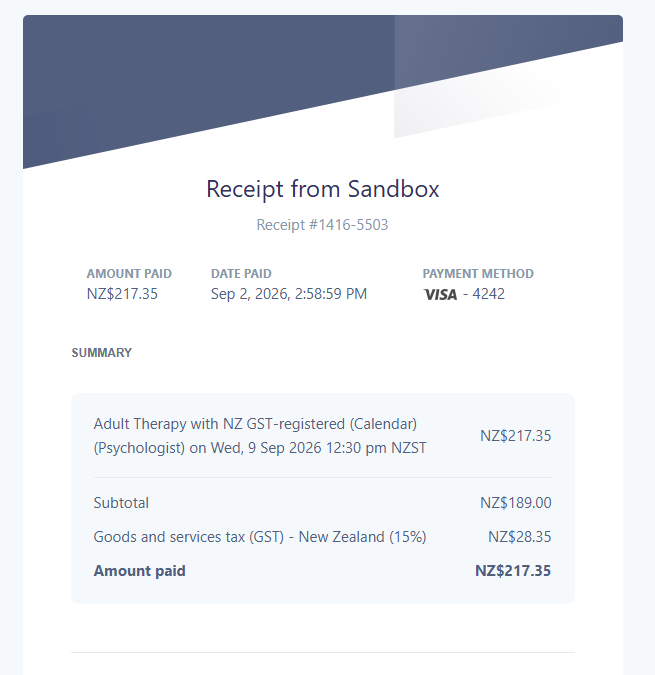 If you wish to download the invoice, right click and select Print and then Save as PDF.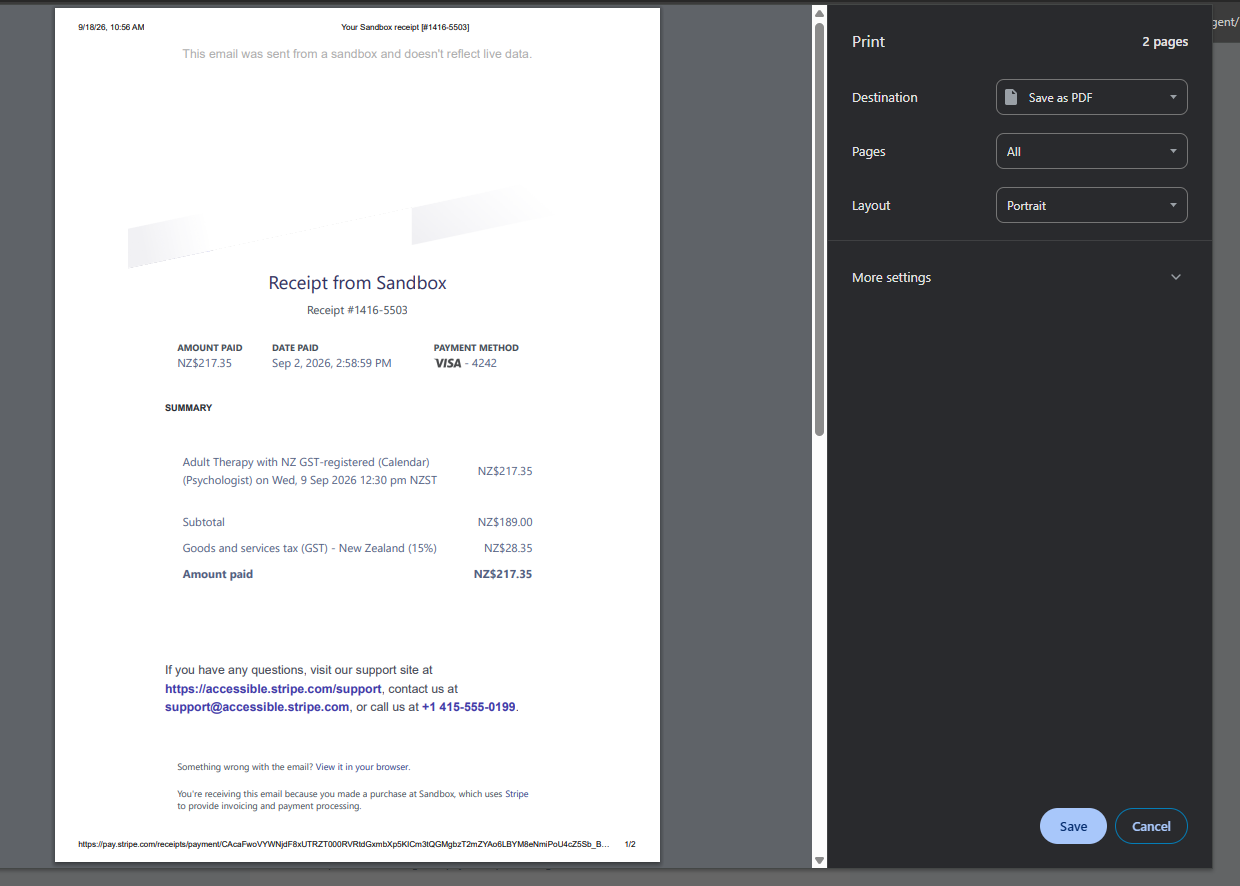
Was this article helpful?
That’s Great!
Thank you for your feedback
Sorry! We couldn't be helpful
Thank you for your feedback
Feedback sent
We appreciate your effort and will try to fix the article