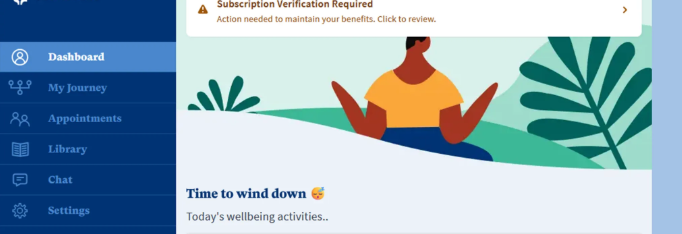
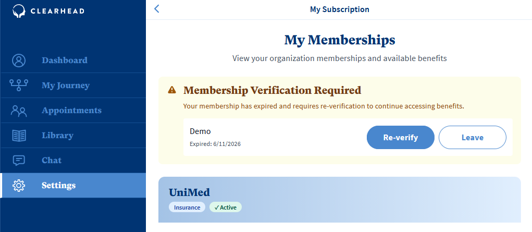
From time to time we may ask you to re-verify your subscription. You will be prompted on your dashboard to do so. Click on the banner to review your subscription.
Click ‘Re-verify’
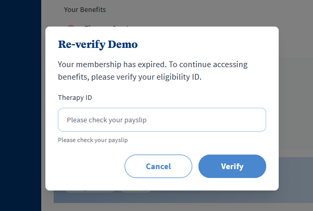
If your organisation verifies your account using an ID, please enter the ID. If you are verified using your email address, please enter your email. This is most commonly your work email address.
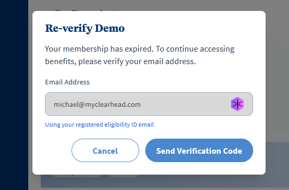
You will be prompted to enter your email so we can send you verification code. Press ‘send verification code’ You will receive a six-digit code that you will need to enter into the portal to re-verify your account.
Was this article helpful?
That’s Great!
Thank you for your feedback
Sorry! We couldn't be helpful
Thank you for your feedback
Feedback sent
We appreciate your effort and will try to fix the article